Cancellation of License Manager Units
For cancellation using LS Central version 25 and newer.
Cancel LM units in Business Hub
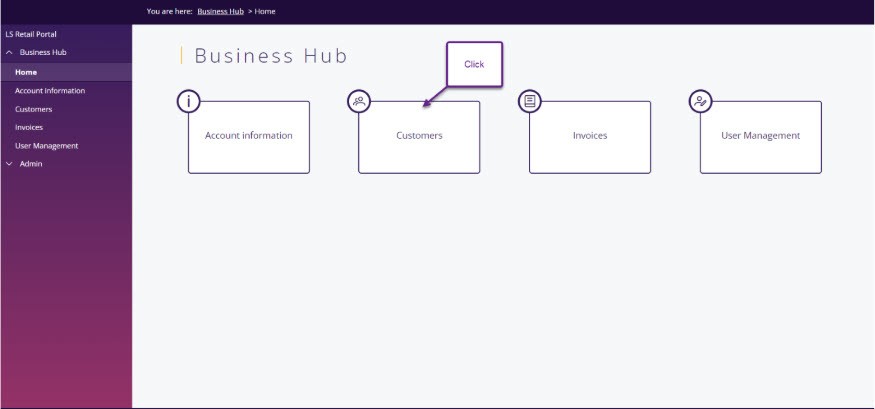
Log into Business Hub and select Customers.
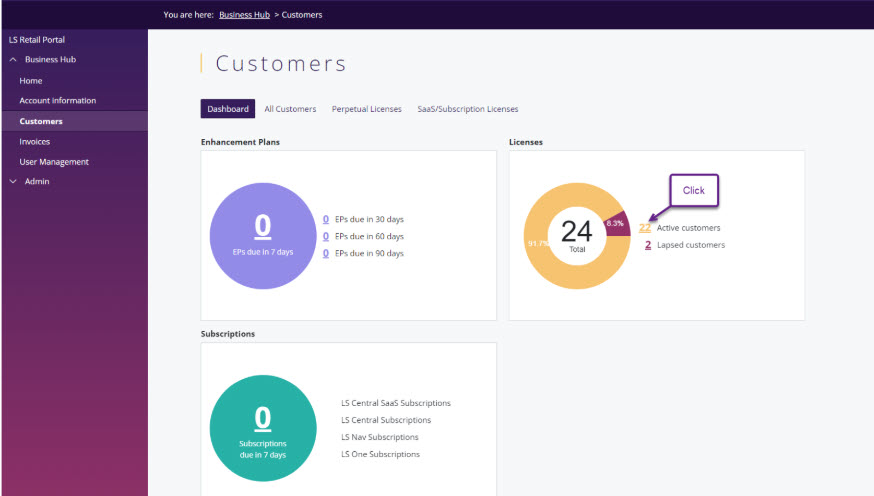
Then select Active Customers
Click on the customer you want to cancel for and then View License Manager Units summary or View License Manager Units.
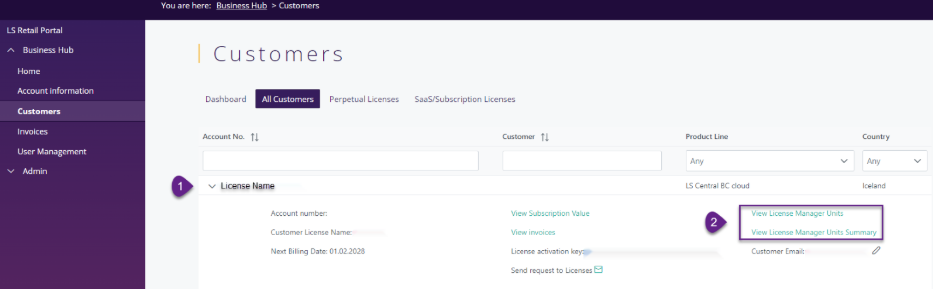
When viewing License Manager Unit Summary you will have an overview of the licenses units. How many are in use, how many are available and how many are in the cancellation process already.

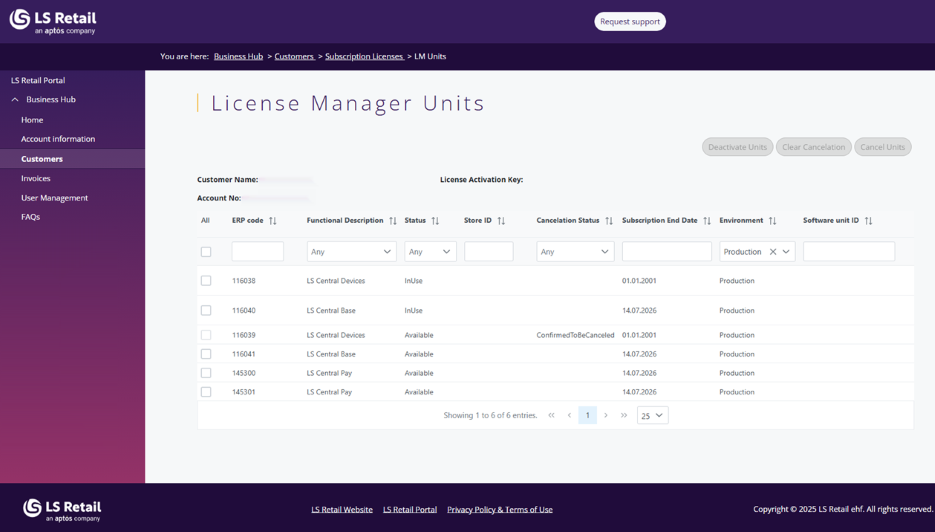
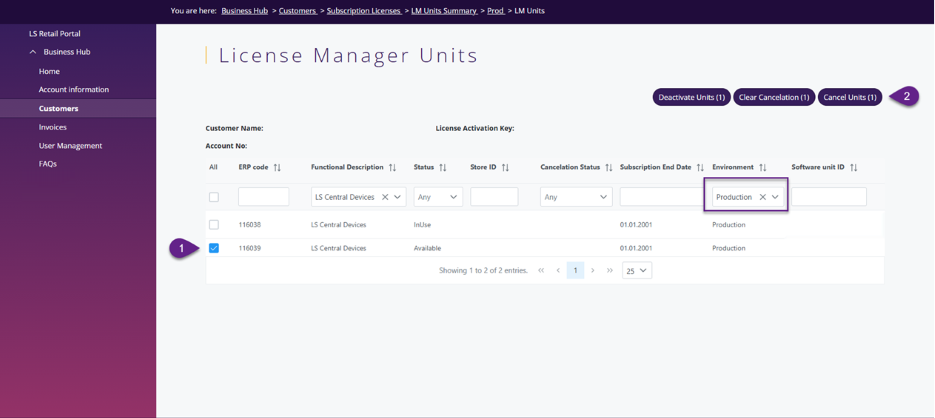
Clicking the number for LS Central Devices will bring you to the License Manager Units displaying only your LS Central Devices. You can select which units to cancel.
In the View License Manager Units you will have a list of all License Manager units the license has. You can use the filters to sort the ones you want to see. Select which units to cancel and click submit. Make sure to select only units that have the environment type Production.
To see the software unit ID of units in use, in LS Central go into License Manager setup table for users, go into page inspections (CTRL+ALT+F1) and look for the DeviceID. This is the unit ID of the software unit that is in use.
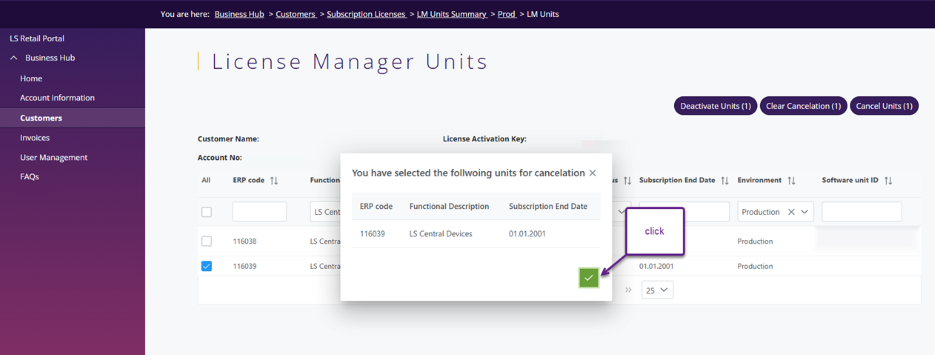
After you click submit you can see the status changed to To be cancelled.
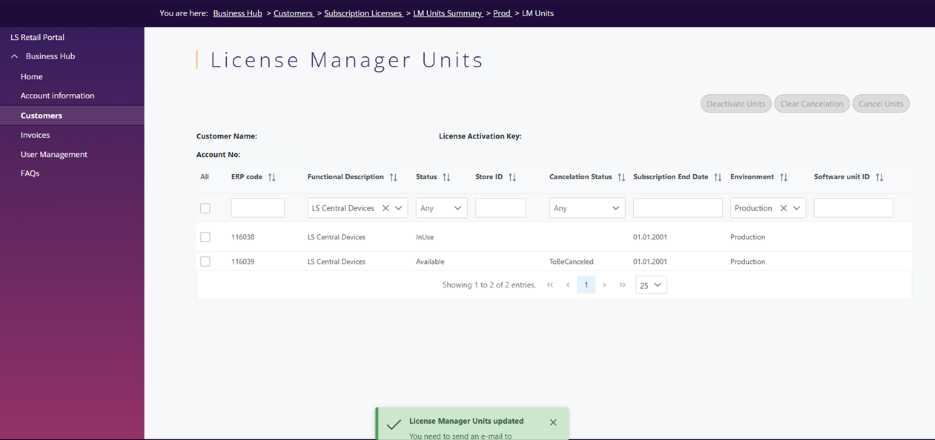
Don’t forget to send an e-mail to Commercial Operations with the cancellation request, without it your units will not be cancelled.
Once Commercial Operations has confirmed your cancellation you will see the status Confirmed to be cancelled.